Why PDF parsing for RAG is harder than it looks
If you've built a RAG pipeline on PDFs, you already know the pain: the demo works on one clean file, then the next document comes out as garbled text, merged table columns, or paragraphs in the wrong order — and your LLM starts confidently making things up.
You're not doing it wrong. The problem is the format. A PDF is built for printing, not for code. It records where each glyph should appear on the page, but it doesn't say "this is a heading," "this is a table," or "these two columns are separate." Every one of those decisions is left for your extraction step to reconstruct — and most tools reconstruct them badly.
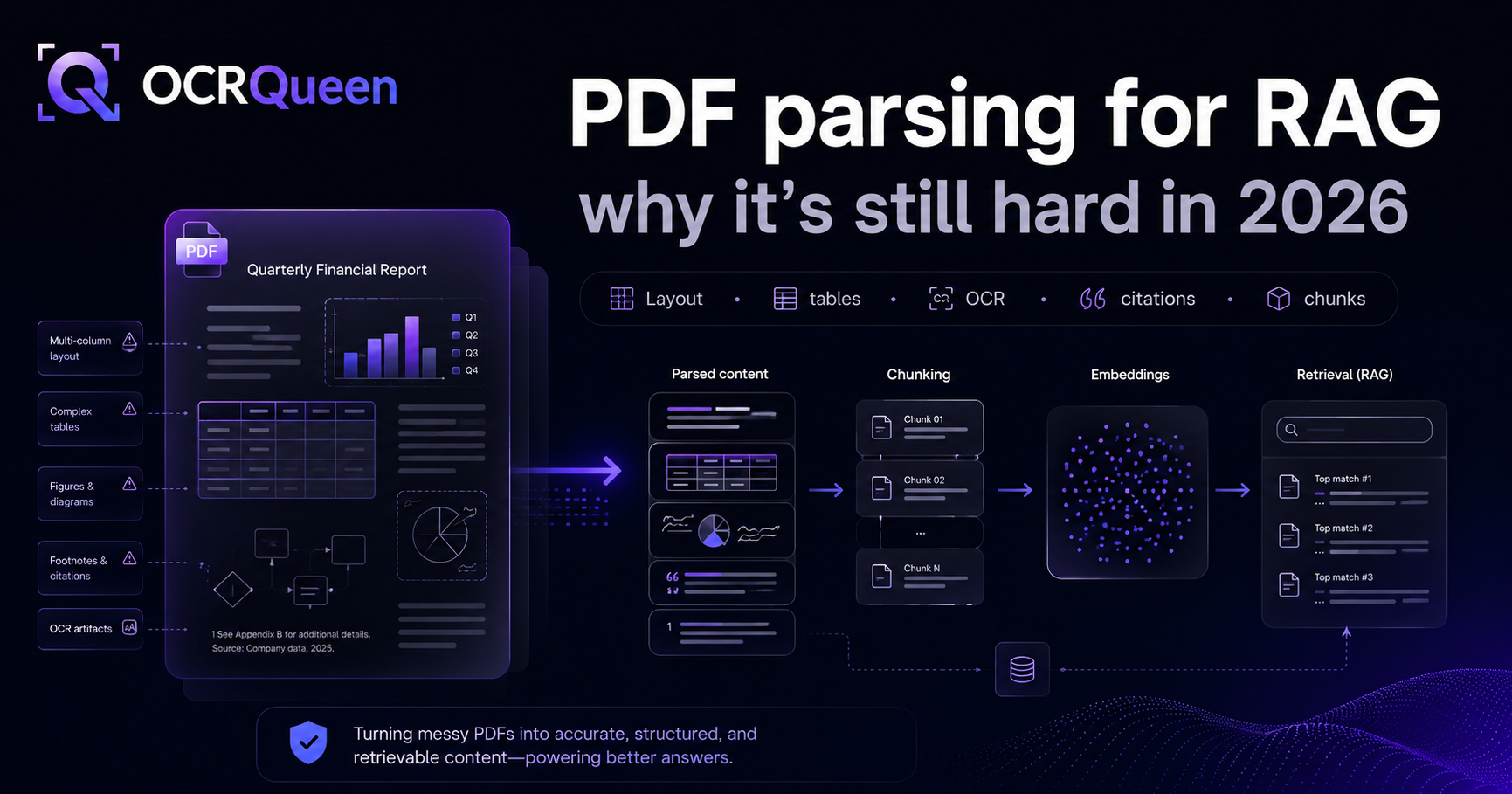
This is one of the most-discussed problems in RAG communities. Threads like "PDF parsing for RAG is still a mess in 2026" and "Best PDF parser for RAG?" rack up hundreds of upvotes because everyone hits the same walls. Let's walk through those walls one by one — why each happens, and what clean extraction looks like.
Problem 1: Tables get flattened into unusable text
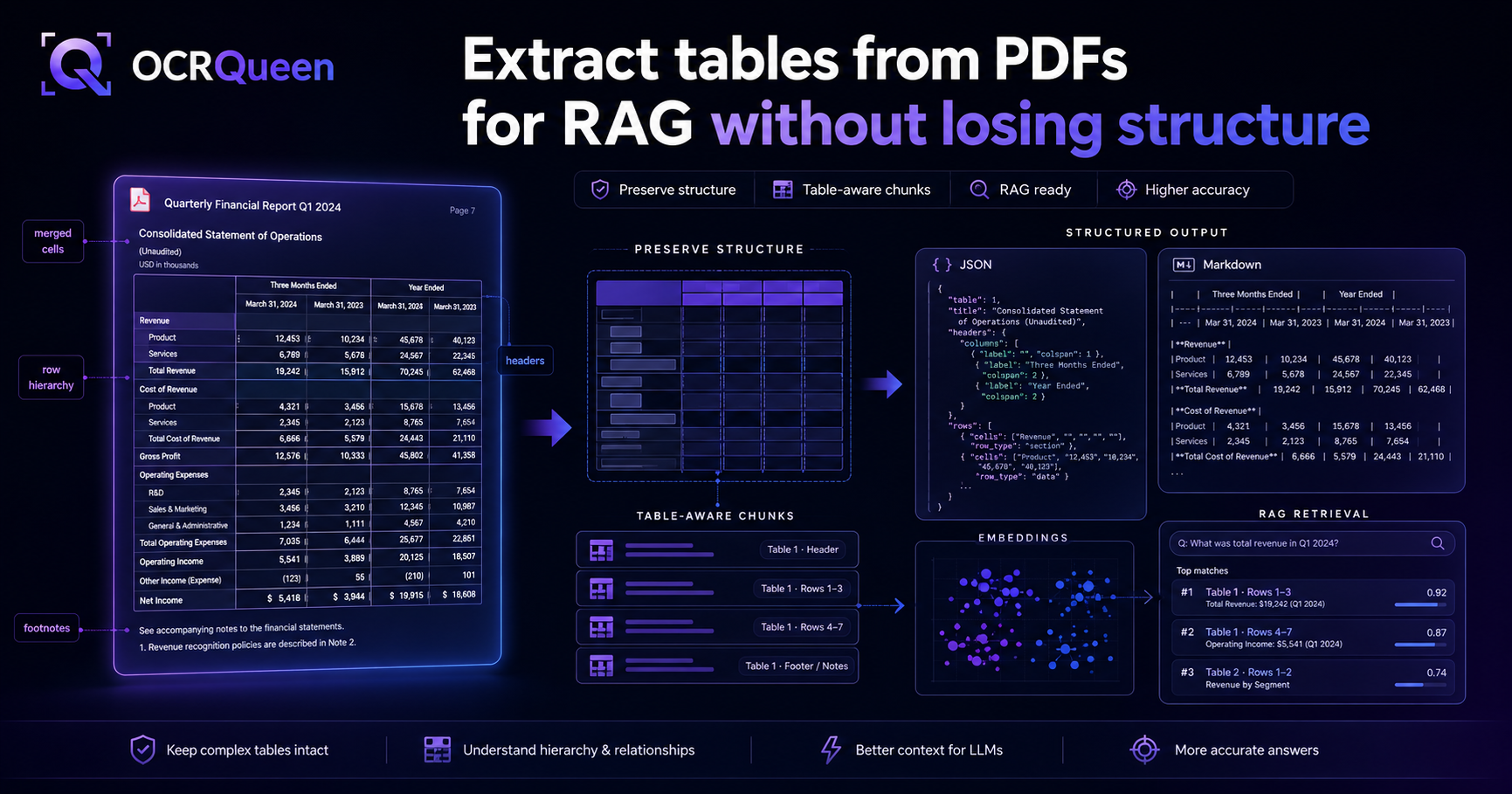
This is the big one. A table in a PDF is just lines and text positioned on a page — there's no underlying "rows and columns" structure. When a basic extractor reads it, you get something like this:
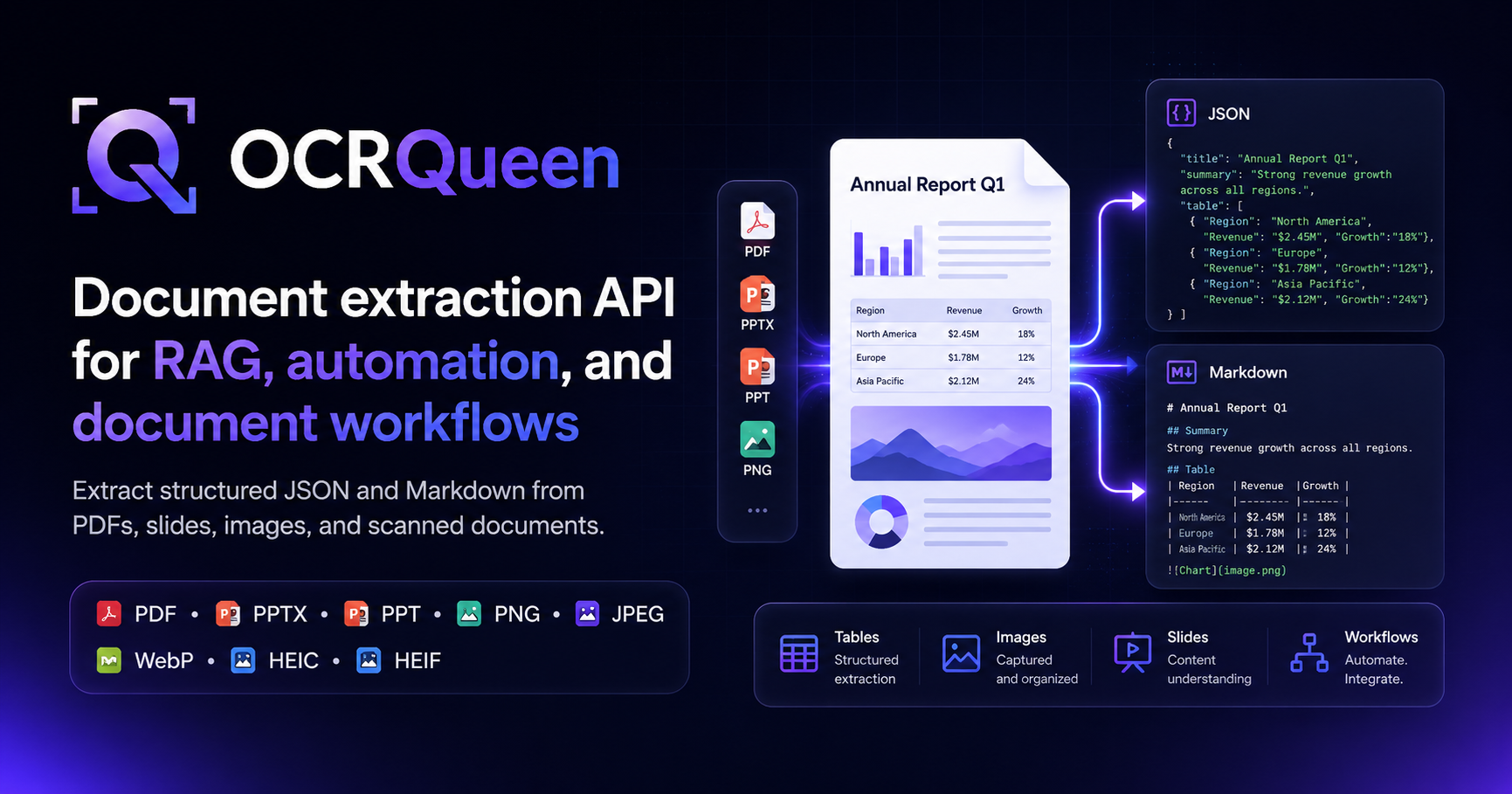
Region Revenue Growth North America $2.45M 18% Europe $1.78M 12% Asia
Pacific $2.12M 24%
The columns have merged. The headers are now indistinguishable from the data. When you embed that and feed it to an LLM, the model has no idea that "$2.45M" belongs to "North America" — so it guesses. That's where a huge share of RAG hallucinations come from: the model is reading a flattened table and inventing the relationships.
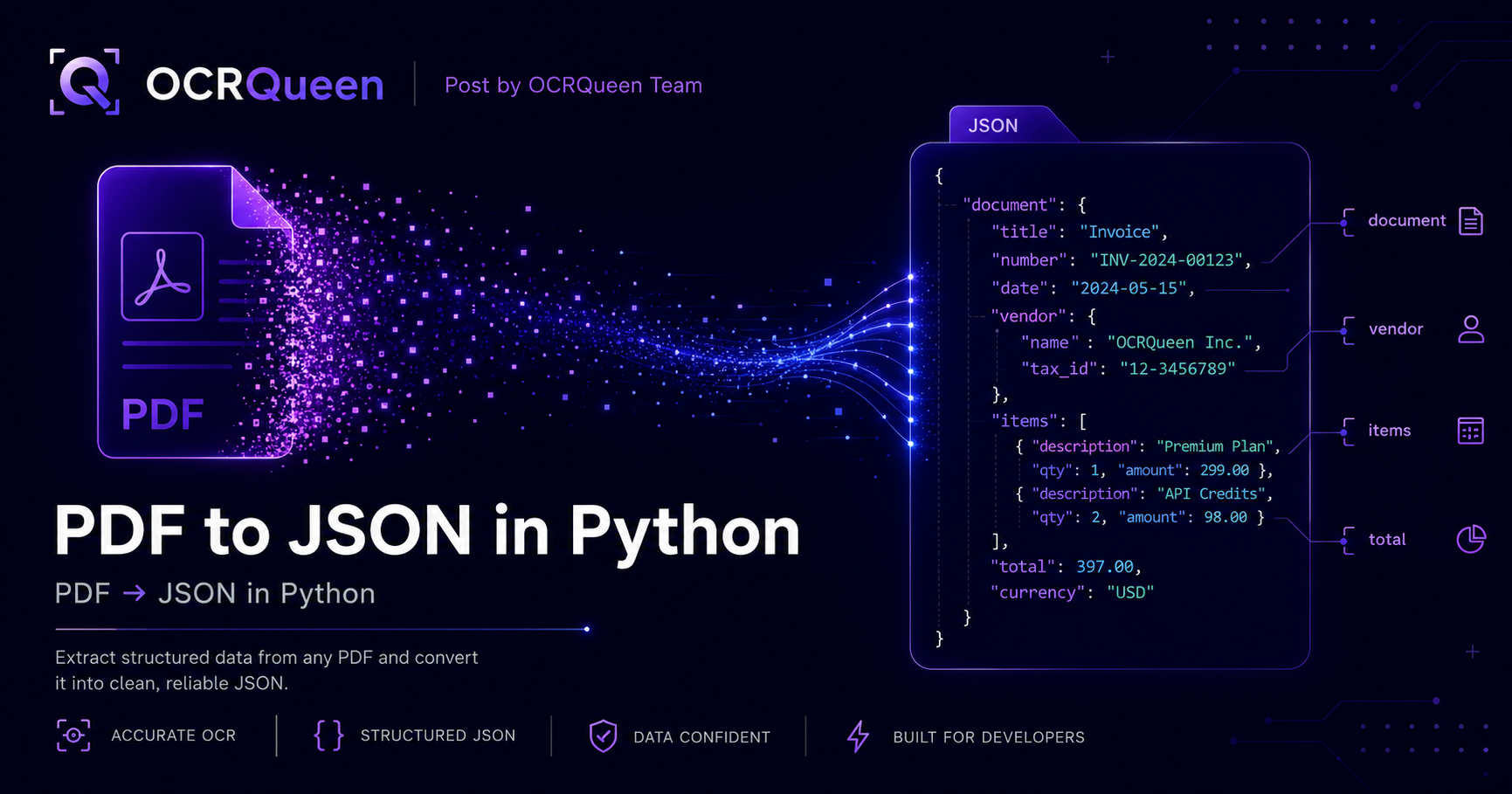
What you actually want is the table preserved as real 2D data — headers and rows kept separate, so the relationships survive:
{
  "type": "table",
  "headers": ["Region", "Revenue", "Growth"],
  "rows": [
    ["North America", "$2.45M", "18%"],
    ["Europe",        "$1.78M", "12%"],
    ["Asia Pacific",  "$2.12M", "24%"]
  ]
}
Now "North America → $2.45M → 18%" is unambiguous. You can drop it straight into pandas, or render it as a clean Markdown table the LLM reads perfectly.
Problem 2: Multi-column pages come out in the wrong order
Academic papers, financial filings, and datasheets love two- and three-column layouts. A naive text extractor reads the page left-to-right, top-to-bottom by glyph position — so it grabs the first line of column one, then the first line of column two, then back to column one. The result is interleaved nonsense: two unrelated paragraphs shuffled together.
For RAG, this poisons your chunks. A sentence from the left column ends up glued to a sentence from the right column, and the embedding represents neither. Good extraction detects the column layout and returns text in true reading order, so each paragraph stays intact.
Problem 3: Scanned pages need OCR, and OCR loses layout
Plenty of real documents are scans — contracts, older reports, anything that went through a printer and a scanner. These have no text layer at all, so a native parser returns nothing. You need OCR.
But most OCR gives you a flat stream of words with no structure — the table problem, but worse, because now even paragraph boundaries are gone. The right approach is hybrid: use the fast, exact text layer where the PDF has one, and fall back to OCR only on the scanned pages — while still reconstructing layout (headings, tables, reading order) on top of the OCR output.
Problem 4: Charts, diagrams, and figures get dropped
Most text extractors ignore anything that isn't text. Charts, diagrams, flowcharts, and photos just vanish — which is a problem when the answer to a user's question is in a chart. For technical manuals, pitch decks, and scientific papers, the figures often carry the most important information.
Good extraction keeps figures as first-class output: it crops the image cleanly (geometry is deterministic — you never want an LLM guessing pixel coordinates), gives you a hosted URL, and adds a caption or description so the figure is searchable. For native charts (like those in PowerPoint), it can even return the underlying data series as numbers.
Problem 5: You get raw text when you need structured JSON
Even when extraction "works," a lot of tools hand you one big string of text per page. That's fine for full-text search, but it's the wrong shape for RAG. You can't filter it ("only paragraphs from invoices"), you can't chunk it by structure, and you can't tell a heading from a footnote.
What you want is a typed document — every piece of content tagged as a heading, paragraph, list, table, or figure — plus a Markdown rendering for the parts you feed straight to the model. We wrote a full breakdown of which format to use where in Markdown vs JSON vs flat text for RAG, but the short version: Markdown for chunking and embedding, JSON for filtering and metadata.
Problem 6: Token-based chunking breaks document meaning
The last mile is chunking, and it's where a lot of otherwise-good pipelines fall apart. The default — split every N tokens — cuts straight through the middle of tables, sentences, and sections. A chunk that starts halfway through a paragraph and ends halfway through a table embeds to noise.
The fix is layout-aware, hierarchical chunking: split at real boundaries (headings, sections), keep tables and figures intact as their own units, and only fall back to size-based splitting within a section. This is exactly why extracting to a structured format first matters — you can't chunk by structure if the structure was thrown away in step one.
What good extraction looks like
Put those six fixes together and you get the shape of a document extraction step that actually feeds RAG well. That's what OCRQueen is built to return — from a single API call, across PDF, PPTX, PPT, PNG, JPEG, WebP, and HEIC:
| The problem | What OCRQueen returns |
|---|---|
| Flattened tables | Real 2D headers + rows JSON (and a clean Markdown table) |
| Wrong reading order | Text in true reading order, columns detected |
| Scanned pages | Byte-exact text where available, OCR fallback with layout preserved |
| Dropped figures | Cropped images with hosted URLs + captions; chart data where native |
| Raw text blob | Typed blocks (heading / paragraph / list / table / figure) + Markdown |
| Token-chunking damage | Structure you can chunk by heading, keeping tables intact |
A working RAG ingestion setup
Here's the whole thing end to end. Install the library:
pip install ocrqueenExtract to Markdown (clean structure for chunking) and JSON (metadata for filtering), then chunk by heading:
import os
from ocrqueen import OCRQueen
from langchain.text_splitter import MarkdownHeaderTextSplitter

client = OCRQueen(api_key=os.environ["OCRQUEEN_API_KEY"])

with open("annual-report.pdf", "rb") as f:
    job = client.extract.create(file=f)
result = client.jobs.wait(job)

# One call gives you both shapes.
markdown = result.result["markdown"]   # tables stay intact, reading order correct
document = result.result               # typed blocks for filtering/metadata

# Chunk at real section boundaries, not arbitrary token counts.
splitter = MarkdownHeaderTextSplitter(headers_to_split_on=[
    ("#", "h1"), ("##", "h2"), ("###", "h3"),
])
chunks = splitter.split_text(markdown)
# → embed `chunks`, attach page/section metadata from `document`, done.
Frequently asked questions
What's the best PDF parser for RAG?
The right one is whichever preserves structure — tables as rows/columns, correct reading order, figures kept, and typed output (not a raw text blob). Open-source options like Docling and Unstructured handle a lot; a hosted API like OCRQueen wraps that work and returns JSON + Markdown from one call so you don't maintain the pipeline. The test that matters: run your hardest document through it and check whether the tables survive.
How do I extract tables from a PDF without losing structure?
Use an extractor that returns tables as 2D data (headers + rows), not flattened text. Then either embed the Markdown version of the table (LLMs read Markdown tables well) or keep the JSON version for exact lookups. The failure to avoid is any tool that turns a table into a single line of space-separated text.
How do I handle scanned PDFs in a RAG pipeline?
Go hybrid: use the PDF's text layer where it exists (fast and exact), and OCR only the scanned pages. Don't OCR everything — you'll lose quality and speed on your clean pages. Make sure the OCR step still reconstructs layout, or you're back to the flattened-text problem.
Should I use JSON or Markdown for RAG?
Both — for different steps. Markdown for chunking, embedding, and prompt construction (LLMs read it natively). JSON for metadata and filtering. Getting both from one extraction call saves a conversion step. Full breakdown in Markdown vs JSON vs flat text for RAG.
Should I chunk PDFs by tokens or by layout?
By layout. Token-based splitting cuts through tables and sentences. Split at headings/sections, keep tables and figures as whole units, and only fall back to size-based splitting within a section. You can only do this if extraction preserved the structure first.
How do I parse documents with formulas and tables?
You need an extractor that types both — tables as 2D data and formulas as LaTeX/text blocks — rather than mashing everything into one text stream. OCRQueen returns tables, formulas, figures, and text as separate typed blocks so each survives into your pipeline.
Does this work for PowerPoint and images too, not just PDFs?
Yes. The same API call handles PDF, PPTX, PPT, PNG, JPEG, WebP, and HEIC, and returns the same typed schema — so one ingestion path covers a mixed corpus. PowerPoint keeps speaker notes and native chart data; see the PPTX to JSON guide.
How much does document extraction cost?
OCRQueen uses prepaid billing — top up a wallet, spend as you go, no subscription. First 200 pages are free. Current rates on /pricing. You can try it on your own documents in the playground first.
Sources
- ISO 32000-2:2020 — Portable document format (PDF 2.0), accessed 2026-07-03.
- Lewis et al. — Retrieval-Augmented Generation for Knowledge-Intensive NLP Tasks, accessed 2026-07-03.
- LangChain — MarkdownHeaderTextSplitter, accessed 2026-07-03.
- OCRQueen — API documentation, accessed 2026-07-03.
- OCRQueen Python SDK on PyPI, accessed 2026-07-03.
The fastest way to see the difference is to try it on a document that's been breaking your pipeline. Drop a real PDF — tables, columns, scans and all — into the OCRQueen playground and see whether the structure survives. First 200 pages free.