Why extracting PPTX into JSON is harder than it sounds
A PowerPoint file looks structured on the surface — you can see the slides, the bullet points, the speaker notes pane. Underneath, it's a zip archive containing dozens of XML files: one per slide, one per notes page, one per chart, plus master slides and theme files. Text can live inside text frames, table cells, SmartArt nodes, grouped shapes, or footer placeholders. To pull it out cleanly, your code has to know where to look in each of those.
That's why most "extract text from PPTX" examples in Python end up doing one of two things: they iterate every shape with python-pptx and concatenate the text into a single string (losing all structure), or they convert the deck to PDF first and then parse that (losing speaker notes and chart data along the way).
This guide shows you how to get clean, structured JSON out of any PowerPoint file using Python — with slides, speaker notes, tables, and chart data preserved as their own fields. We cover the basics, the tricky parts (notes, embedded charts, image-only slides), and the patterns you'll want once you move past a quick script.
What "good" JSON output looks like
Before writing any code, it helps to know what good output looks like. A useful PPTX-to-JSON result has all of these:
- Real structure per slide — separate pieces for the title, body content, speaker notes, tables, charts, and images. Not one giant text blob.
- Speaker notes as a first-class field — anyone who's ever recorded a webinar knows the notes pane is where the real script lives.
- Chart data, not just a chart image — categories and series should come back as arrays you can drop into pandas.
- The same schema every time — every deck should return JSON in a predictable shape, so your code doesn't break on the next file.
- Markdown as a bonus output — AI tools and chat models read Markdown more easily than nested JSON. Getting both saves you a conversion step.
- The same shape across PPTX, PDF, and images — real workflows mix all three. One API and one parser is much simpler than three.
- Control over how long your data is kept — important when the deck contains internal financials, customer names, or unreleased product plans.
How OCRQueen does it
OCRQueen is an API that takes a document and returns both structured JSON and Markdown. The JSON shape is fixed: every piece of content comes back as one of a known set of types (heading, paragraph, list, table, image, chart, diagram). Speaker notes ride on the same page object as the slide they belong to. Tables stay as real 2D data, and PPTX charts return byte-exact data series — not OCR'd numbers from a rendered image.
| What you can send | What you get back | Modes |
|---|---|---|
| PPTX, PPT, PDF, PNG, JPEG, WebP, HEIC, HEIF | Structured JSON + Markdown | standard (text, tables, images, chart data) · advanced (adds diagram extraction, image descriptions, OCR on text inside images) |
Two things that matter once you go live:
- Prepaid billing. You add money to a wallet up front. Spending stops when the wallet is empty. There's no surprise invoice at the end of the month. See /pricing.
- You decide how long files are kept. For each request you can say "delete the source file after 1 hour" or "delete the result the moment you've sent it back to me." Useful for internal strategy decks, customer-facing pitches, and anything else that shouldn't sit on a server. Full details at /docs/data-retention.
Get a working setup in five minutes
Install the Python library:
pip install ocrqueenGrab an API key from /dashboard/keys, then run this:
import os
from ocrqueen import OCRQueen

client = OCRQueen(api_key=os.environ["OCRQUEEN_API_KEY"])

# Open your PowerPoint file and send it off
with open("quarterly-review.pptx", "rb") as f:
    job = client.extract.create(file=f)

# Wait for the extraction to finish
result = client.jobs.wait(job)

# result.result is the full structured document. The Markdown
# rendering is one of its top-level fields.
document_json = result.result               # structured JSON
markdown      = result.result["markdown"]   # Markdown — easy for LLMs

print(markdown[:600])
What the JSON actually looks like
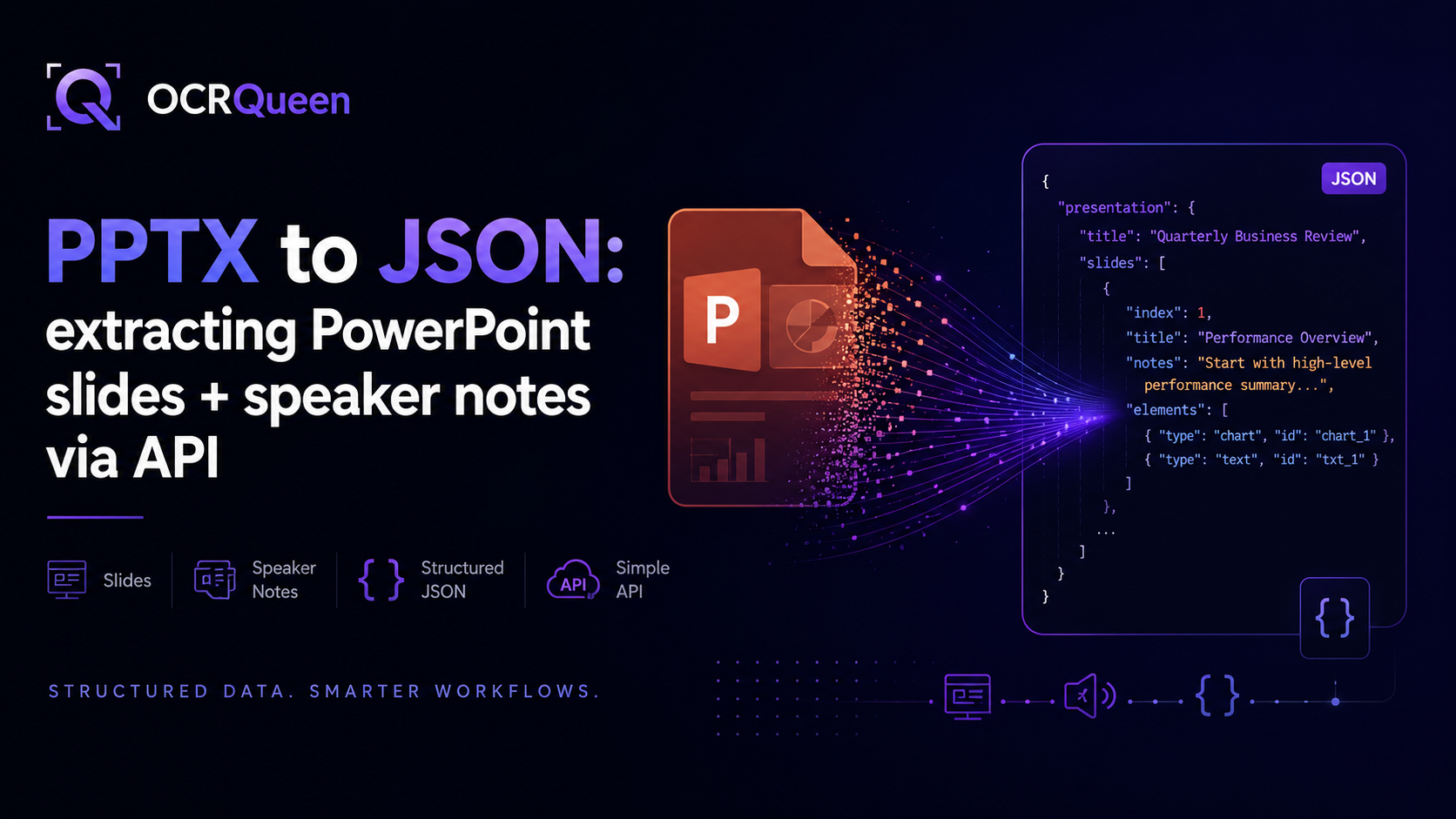
Each extraction returns a document object with two main parts: pages (one entry per slide) and extraction (info about the job — slide count, mode used, how long it took). Each page contains an ordered list of blocks plus a speaker_notes field and an optional slide_layout hint:
{
  "source": { "page_count": 12, "mime_type": "application/vnd.openxmlformats-officedocument.presentationml.presentation" },
  "extraction": { "profile": "standard", "duration_ms": 2810 },
  "markdown": "# Q3 Performance Overview\n\nRevenue: $4.2M...",
  "pages": [
    {
      "page": 1,
      "slide_layout": "title_slide",
      "speaker_notes": "Open with the 47% YoY growth — anchor the room before details.",
      "blocks": [
        { "type": "heading", "level": 1, "text": "Q3 Performance Overview" },
        { "type": "paragraph", "text": "Prepared for the board · 30 September 2026" }
      ]
    },
    {
      "page": 2,
      "slide_layout": "content",
      "speaker_notes": "Walk through each segment left to right.",
      "blocks": [
        { "type": "heading", "level": 2, "text": "Revenue by segment" },
        {
          "type": "chart",
          "chart_type": "bar",
          "title": "Revenue by segment (USD)",
          "categories": ["Enterprise", "SMB", "Self-serve"],
          "series": [
            { "name": "Q3 2026", "values": [2400000, 1100000, 700000] }
          ]
        },
        {
          "type": "table",
          "headers": ["Segment", "ARR", "QoQ growth"],
          "rows": [
            ["Enterprise", "$9.6M", "+12%"],
            ["SMB", "$4.4M", "+8%"],
            ["Self-serve", "$2.8M", "+34%"]
          ]
        }
      ]
    }
  ]
}
Don't wait for the result — use webhooks instead
Calling client.jobs.wait() works great for small scripts. But in a real web app, you don't want your server sitting around waiting for an extraction to finish — especially for decks with dozens of slides. The better pattern: submit the job, return right away, and let OCRQueen call you back when it's done. That callback is a webhook.
job = client.extract.create(
    file=pptx_bytes,
    options={
        "callback_url": "https://your-app.com/ocrqueen-webhook",
        "extraction_profile": "advanced",
    },
)
# Save job.id somewhere and move on. The webhook delivers the result
# when extraction finishes.
To make sure the incoming webhook is really from OCRQueen (and not someone faking it), we sign every delivery. The signature comes in the OCRQueen-Signature header — an HMAC-SHA256 of the raw request body using your endpoint's signing secret. Verify it before trusting the data:
from ocrqueen import verify_webhook

@app.post("/ocrqueen-webhook")
def handle_webhook(request):
    body = request.body  # raw bytes — do NOT re-serialize
    signature = request.headers.get("OCRQueen-Signature", "")
    if not verify_webhook(body, signature, secret=os.environ["WEBHOOK_SECRET"]):
        return Response(status_code=400)  # signature didn't match
    payload = json.loads(body)
    process_deck(payload)
    return Response(status_code=204)
Safe retries with idempotency keys
Production code retries when things go wrong. The problem: a retry can accidentally trigger a second extraction — which means a second bill. The fix is an idempotency key: a label you attach to your request so that retrying with the same label returns the original job instead of running it again.
import hashlib

# Use a hash of the file as the key — same deck means same key,
# means same result, every time.
content_hash = hashlib.sha256(pptx_bytes).hexdigest()
idempotency_key = f"deck-extract-{content_hash}"

job = client.extract.create(
    file=pptx_bytes,
    idempotency_key=idempotency_key,
)
Handling sensitive decks
Internal strategy decks, board presentations, customer pitches, M&A material — most of what gets put into PowerPoint is confidential by default. You probably don't want the file or its extracted content sitting on any server longer than it has to. Two retention settings handle this. Set both to zero and use a webhook to receive the result — the file is deleted right after extraction, and the result is deleted as soon as we send it to you:
job = client.extract.create(
    file=pptx_bytes,
    options={
        "retain_hours": 0,           # delete source file immediately
        "result_retain_hours": 0,    # delete result after webhook delivery
        "callback_url": "https://your-app.com/ocrqueen-webhook",
    },
)
If you need to delete a specific job on demand later (for example, a "right to be forgotten" request, or a deck that was uploaded by mistake), there's a one-call purge:
client.jobs.purge(job.id)
# Source file is deleted. Result is deleted. Only a small record
# remains for billing purposes — no content, no slide data.
Three common recipes
Recipe 1: Turn a deck into a searchable knowledge base (RAG)
RAG ("Retrieval-Augmented Generation") is a fancy name for a simple pattern: chop up your documents, store them, and look up the right piece when a user asks a question. For a slide deck, the natural unit is one slide — title + body + speaker notes, all together. That way "find the slide that talked about churn" returns a coherent answer instead of a torn fragment:
def ingest_deck_for_rag(pptx_bytes, vector_store):
    job = client.extract.create(file=pptx_bytes)
    result = client.jobs.wait(job)
    document = result.result

    for page in document["pages"]:
        title = next(
            (b["text"] for b in page["blocks"] if b["type"] == "heading"),
            f"Slide {page['page']}",
        )
        body = "\n".join(
            b["text"] for b in page["blocks"]
            if b["type"] in ("paragraph", "list")
        )
        notes = page.get("speaker_notes", "")
        chunk = f"# {title}\n\n{body}\n\nSpeaker notes:\n{notes}"
        vector_store.add(chunk, metadata={"slide": page["page"]})
Recipe 2: Extract chart data into pandas
When a PPTX contains native PowerPoint charts (not pasted-in images), OCRQueen returns the underlying data series — exact numbers, no OCR. That's the difference between getting back "42.7" and getting back 42.7. Drop it straight into a DataFrame:
import pandas as pd

def parse_chart_blocks(extraction_result):
    # Iterate every chart across the deck and yield a DataFrame each.
    for page in extraction_result["pages"]:
        for block in page["blocks"]:
            if block["type"] != "chart":
                continue
            categories = block.get("categories") or []
            series = block.get("series") or []
            data = {s["name"]: s["values"] for s in series}
            yield pd.DataFrame(data, index=categories)
Recipe 3: One pipeline for decks, PDFs, and screenshots
Real work isn't only PowerPoint. Sales teams email PDFs. Customer success captures screenshots of demos. Field reps send photos of competitor decks from a conference. One API call handles all of them with the same code and the same output shape:
def extract_any(file_path: str):
    with open(file_path, "rb") as f:
        job = client.extract.create(file=f)
    return client.jobs.wait(job).result

# All of these work the same way:
extract_any("quarterly-review.pptx")
extract_any("competitor-brief.pdf")
extract_any("conference-photo.heic")
What to know before going to production
| You're worried about… | How we handle it |
|---|---|
| Surprise bills | Prepaid wallet — you top up first, spending stops when the balance is gone. See /pricing. |
| Duplicate charges from retries | Add an Idempotency-Key and the same request always returns the same job — only billed once. |
| Webhooks getting faked | Every delivery carries an OCRQueen-Signature header (HMAC-SHA256 over the raw body). Verify with the SDK helper before trusting the data. Failed deliveries retry automatically. |
| Internal decks sitting on a server | Per-job retention controls. Set both windows to 0 for "extract and forget." Or call jobs.purge() on demand. |
| Limiting access for different services | API keys can be scoped. Give your dashboard a read-only key; give your job runner a write key. Easy to rotate independently. |
| Wanting to keep extracted slide images in your own cloud | Bring Your Own Storage (BYOS) — we write extracted images directly to your S3 or R2 bucket. See /docs/storage. |
Frequently asked questions
How do I extract JSON from a PowerPoint file in Python?
Install OCRQueen (pip install ocrqueen), open the file, and call client.extract.create(file=f). Wait for the job and result.result is the full structured document; result.result["markdown"] is the Markdown rendering. The "Working setup in five minutes" section above shows the full code.
Does OCRQueen extract speaker notes from PowerPoint slides?
Yes. Every page in the response has a speaker_notes field. It comes back as plain text (formatting collapsed), so it's ready to feed into transcripts, training-material indexes, or AI summarizers without further cleanup.
Can I get the actual data series from a PowerPoint chart?
Yes — for charts that were authored natively in PowerPoint (bar, line, pie, area, scatter, etc.), the response includes chart_type, categories, and series with the underlying numbers. No OCR involved, so values are byte-exact. Charts that were pasted in as images come back as image blocks instead.
How do I get PowerPoint tables into pandas?
Tables come back with headers and rows already split out. Pass them straight to pd.DataFrame(rows, columns=headers). Chart data uses the same pattern — see the chart-extraction recipe above.
How does OCRQueen compare to writing my own python-pptx parser?
python-pptx gives you a faithful object model of the file (text frames, shapes, master slides) but leaves you to decide what's content vs. layout. You'll end up writing code to walk grouped shapes, detect title placeholders, pull notes from a separate XML file, and stitch SmartArt fragments back together. OCRQueen does that work and returns the cleaned-up result. If you only need raw object access, python-pptx is fine; if you want structured content per slide, the API saves you the parser maintenance.
What's the best output for AI assistants and RAG?
Markdown. Most AI tools and embedding models read Markdown more cleanly than nested JSON because headings, lists, and tables all stay intact. For decks specifically, chunk by slide and include the speaker notes — that's where the real explanatory content usually lives. The first recipe above shows the pattern.
Does OCRQueen handle old .ppt files, not just .pptx?
Yes. The same endpoint accepts both. Internally we convert older .ppt binaries before extraction, so your code doesn't have to care which format you sent.
How do I extract decks without storing them anywhere?
Set retain_hours=0 and result_retain_hours=0, and add a callback_url. The file is deleted right after extraction, and the result is deleted as soon as we send it to your webhook. Full contract at /docs/data-retention.
Should I wait for the result or use a webhook?
Waiting is fine for scripts and one-off jobs. For real web apps, use a webhook — submit the job, return right away, and process the result when OCRQueen calls you back. This stops your server from being tied up waiting, especially for large decks.
How much does PowerPoint extraction cost?
OCRQueen uses prepaid billing — you add money to a wallet, and spending stops when the balance is gone. Current prices are on /pricing. You can try the API on your own decks in the playground for free.
Sources
- ISO/IEC 29500-1:2016 — Information technology — Document description and processing languages — Office Open XML File Formats, accessed 2026-06-30.
- python-pptx — Documentation, accessed 2026-06-30.
- OCRQueen — Full API documentation, accessed 2026-06-30.
- OCRQueen — Data retention & deletion contract, accessed 2026-06-30.
- OCRQueen — Storage, retention, and BYOS, accessed 2026-06-30.
- OCRQueen Python SDK on PyPI, accessed 2026-06-30.
The fastest way to know if this fits your project is to try it. Drop a real deck into the OCRQueen playground and see the JSON output for yourself.