Why chunking is where good RAG pipelines still fail
You've extracted your documents, you've picked an embedding model, your vector store is running — and retrieval quality is still mediocre. The model pulls back chunks that are almost relevant, or half a table, or a sentence that starts mid-thought. Nine times out of ten, the culprit isn't the embeddings or the model. It's how you cut the document into chunks.
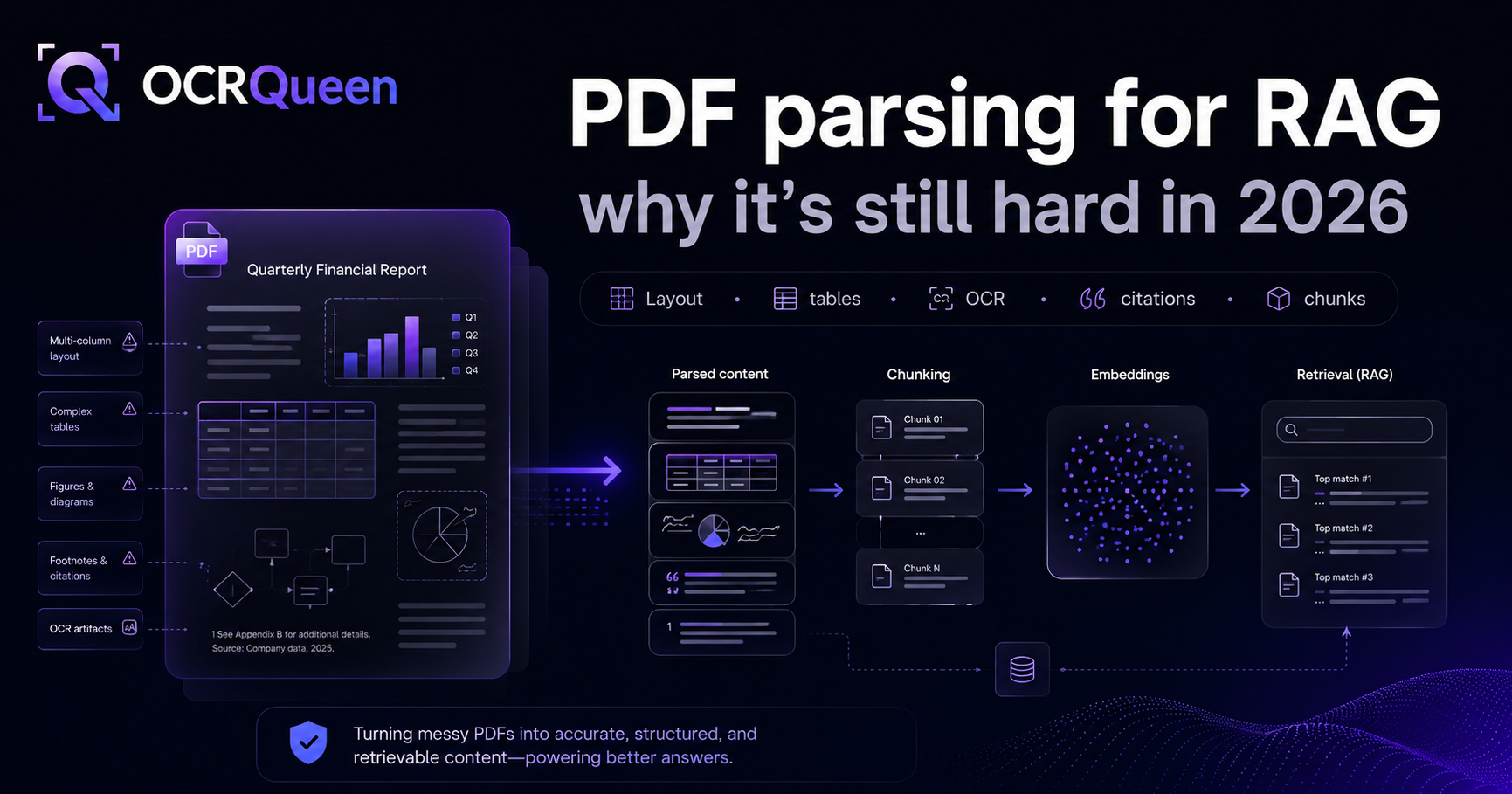
Chunking is the least glamorous step in a RAG pipeline and the one that quietly decides whether retrieval works. A chunk is the unit you embed and retrieve, so if a chunk doesn't contain a coherent, self-contained idea, no embedding model can rescue it. This post compares the strategies, worst to best, and shows how to chunk PDFs so retrieval actually improves. It's the final piece of our guide on why PDF parsing for RAG is hard.
Strategy 1: Fixed-size (token) chunking — the default that breaks things
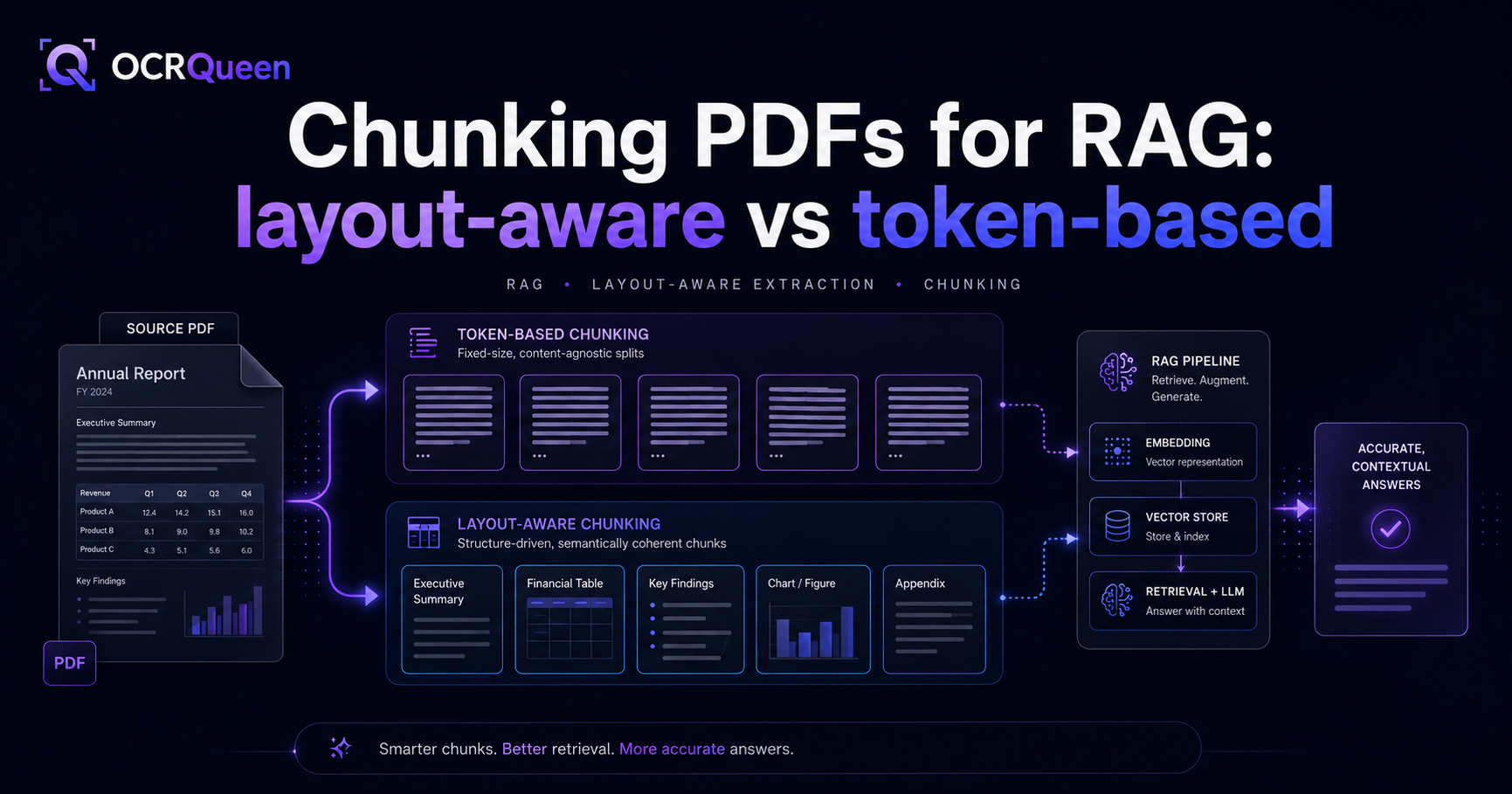
This is what almost every tutorial starts with: split the text every N tokens (say 512), maybe with a little overlap. It's trivial to implement, which is exactly why it's everywhere — and why so many RAG pipelines underperform.
The problem is that a document doesn't have meaning every 512 tokens. A fixed cut lands wherever it lands — halfway through a sentence, in the middle of a table row, between a heading and the paragraph it introduces. You end up embedding fragments:
...and the Q3 revenue for the North America region was $2.45M, up | [CHUNK BREAK]
18% year over year, driven primarily by the enterprise segment which...
Fixed-size chunking isn't useless — it's a fine last resort within a section of plain prose. As a whole-document strategy, it's the single biggest self-inflicted RAG wound.
Strategy 2: Recursive character splitting — better, still blind
The common next step is recursive splitting (LangChain's RecursiveCharacterTextSplitter popularized it): try to split on paragraph breaks first, then sentences, then words, falling back down the list to stay under a size limit. This is a real improvement — it respects sentence and paragraph boundaries when it can.
But it's still blind to document structure. It doesn't know a line is a heading, that a block is a table, or that two paragraphs belong to different sections. It works on characters, not on meaning. For clean prose it's fine; for structured documents — reports, papers, manuals, anything with tables and sections — it leaves value on the table.
Strategy 3: Layout-aware chunking — the right default
Layout-aware (or "structural") chunking splits the document along its real boundaries: sections and headings define the chunks, tables and figures stay intact as their own units, and size-based splitting only kicks in within a section that's too long. The result is chunks that each contain one coherent, self-contained idea — which is exactly what an embedding model needs.
The wins are concrete:
- Sections stay together — a heading rides with the content it introduces, so retrieval returns complete thoughts.
- Tables stay whole — a table is one chunk, headers included, so table questions get answered.
- Natural metadata — each chunk knows its section and page, which powers filtering and citations.
This should be your default for any document with structure. The catch — and it's the part most guides skip — is that you can only do it if the structure survived extraction.
The prerequisite nobody mentions: you can't chunk structure you threw away
Here's the insight that ties this whole cluster together. Layout-aware chunking needs to see headings, tables, and sections. If your extraction step handed you one flat string of text per page — which most basic PDF parsers do — that structure is already gone. You can't split by heading if there are no headings in your data; you can't keep a table whole if it was flattened into a line of text back in step one.
How to chunk a PDF properly, end to end
Because OCRQueen returns a document with structure preserved — headings in the Markdown, tables as real data — layout-aware chunking is a few lines. Install the library:
pip install ocrqueenSplit at headings first, then size-split only the sections that are still too long, keeping the header context on every chunk:
import os
from ocrqueen import OCRQueen
from langchain.text_splitter import (
    MarkdownHeaderTextSplitter,
    RecursiveCharacterTextSplitter,
)

client = OCRQueen(api_key=os.environ["OCRQUEEN_API_KEY"])

with open("report.pdf", "rb") as f:
    job = client.extract.create(file=f)
result = client.jobs.wait(job)

# 1. Split on real structure. Tables in the Markdown stay intact.
by_heading = MarkdownHeaderTextSplitter(
    headers_to_split_on=[("#", "h1"), ("##", "h2"), ("###", "h3")]
).split_text(result.result["markdown"])

# 2. Only sections still over budget get size-split — sentence-aware.
within_section = RecursiveCharacterTextSplitter(
    chunk_size=1000, chunk_overlap=150
)
chunks = within_section.split_documents(by_heading)

# Each chunk now carries its section headers as metadata (h1/h2/h3),
# ready to embed with page/section citations.
for c in chunks[:3]:
    print(c.metadata, "->", c.page_content[:80])
The two-stage shape — structure first, size second — is the whole trick. You never cut across a heading, and you only fall back to size-based splitting where a section genuinely needs it.
Chunk size and overlap: practical numbers
Once you're splitting by structure, size only matters for the long sections. Sensible starting points:
| Use case | Chunk size | Overlap |
|---|---|---|
| Q&A over dense docs (default) | ~800–1,000 tokens | 10–15% |
| Precise fact lookup | ~300–500 tokens | 10% |
| Summarization / broad context | ~1,500–2,000 tokens | 15–20% |
Two rules of thumb: overlap exists to stop a boundary from severing a thought, so a little goes a long way — 10–15% is plenty. And there's no universal best size; the numbers above are starting points to validate against a real evaluation set for your documents and questions.
Tables and figures: keep them atomic
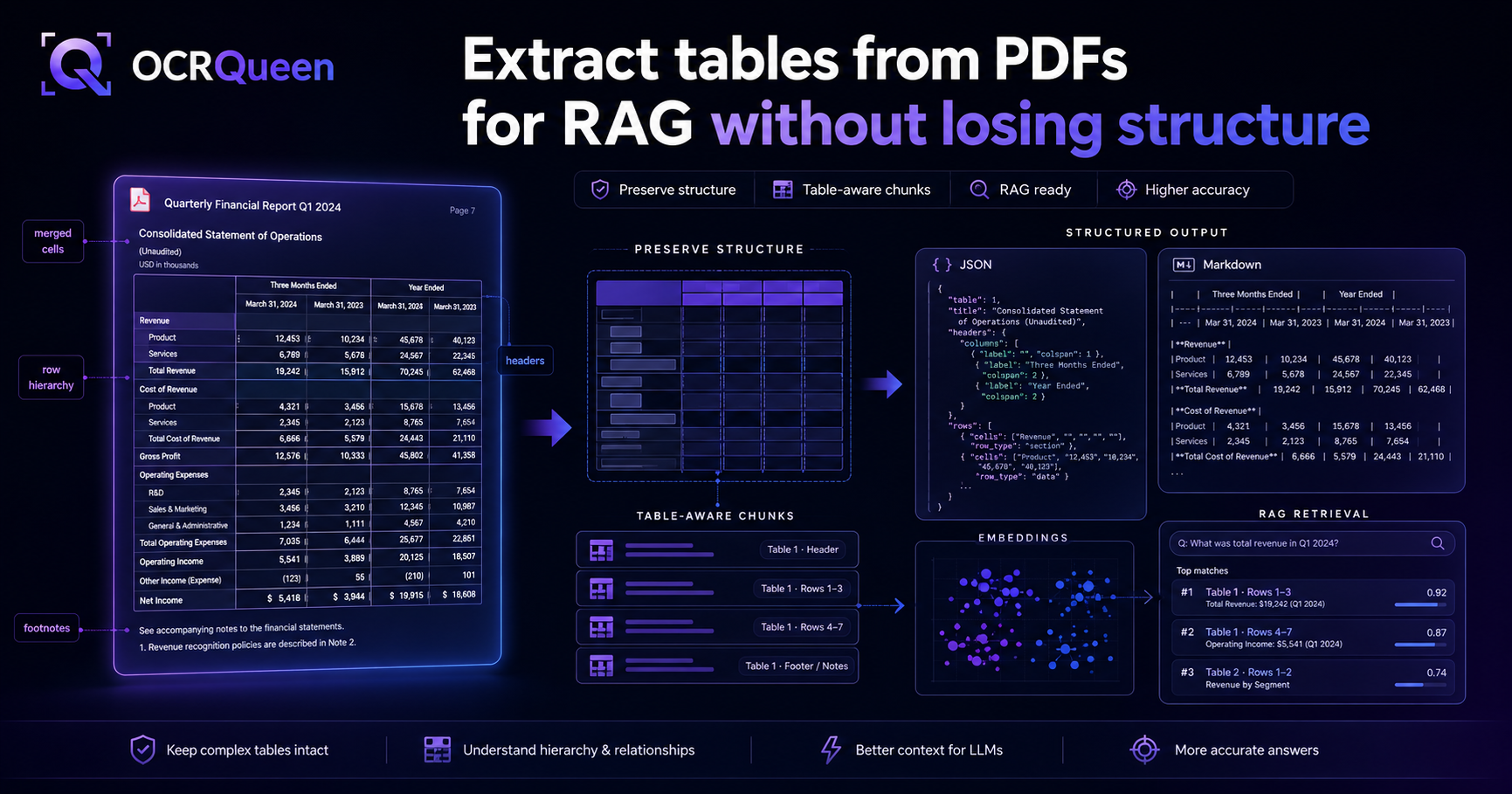
Structured elements should never be size-split. A table is meaningful as a whole and meaningless in halves, so treat each one as an atomic chunk — its own retrievable unit with metadata — even if that makes it larger than your nominal chunk size. The same goes for figures: keep the image reference and its caption together. Because OCRQueen returns tables and figures as typed blocks, you can pull them out and chunk them separately from the prose:
prose, atomic = [], []
for page in result.result["pages"]:
    for block in page["blocks"]:
        if block["type"] in ("table", "figure"):
            atomic.append({"type": block["type"], "page": page["page"], "block": block})
        else:
            prose.append(block)
# → size-split `prose`; embed each item in `atomic` as one whole chunk.
Strategy 4: Semantic chunking — when it's worth it
Semantic chunking splits where the meaning shifts: it embeds sentences and cuts where adjacent sentences stop being similar. It can produce beautifully coherent chunks — but it's more expensive (you embed to chunk, then embed again to store) and it's rarely necessary once you're already chunking by structure. Reach for it only when your documents are long, unstructured prose with few headings to anchor on. For most structured PDFs, layout-aware chunking gets you 90% of the benefit at a fraction of the cost.
Which strategy should you use?
| Strategy | Best for | Avoid when |
|---|---|---|
| Fixed-size / token | Quick prototype; uniform plain text | Anything with tables or sections |
| Recursive character | Clean prose, few structural elements | Reports, papers, manuals with tables |
| Layout-aware | Most structured documents (default) | Truly flat text with no headings |
| Semantic | Long unstructured prose, no headings | Cost-sensitive or already-structured docs |
Frequently asked questions
How do I chunk a PDF for RAG?
Chunk by structure, not by token count. Split at headings and sections first, keep tables and figures whole, and only fall back to size-based splitting within a section that's too long. The prerequisite is extraction that preserved the structure — if your parser gave you flat text, fix that step first. Working code is in the section above.
What's the best chunk size for RAG?
There's no universal answer, but ~800–1,000 tokens with 10–15% overlap is a solid default for Q&A. Use smaller (~300–500) for precise fact lookup and larger (~1,500+) for summarization. Once you chunk by structure, size only matters for long sections — and you should validate the number against your own eval set.
Is layout-aware chunking better than fixed-size chunking?
For structured documents, yes — clearly. Fixed-size chunking cuts through tables, sentences, and sections, embedding fragments that hurt retrieval. Layout-aware chunking splits at real boundaries so each chunk is a coherent idea. Fixed-size is fine only as a fallback within a section of plain prose.
How much chunk overlap should I use?
10–15% of the chunk size is plenty. Overlap exists to keep a boundary from severing a thought; beyond ~20% you're mostly duplicating content in your index for little gain. If you chunk by structure, you need less overlap because your boundaries already fall in sensible places.
How should I chunk tables in a PDF?
Don't split them. Treat each table as one atomic chunk — headers and all rows together — even if it exceeds your normal chunk size, because a half-table is useless for retrieval. This only works if extraction returned the table as structured data; see extracting tables from PDFs for RAG.
Is semantic chunking worth it?
Usually not, if you're already chunking by structure. Semantic chunking produces coherent chunks but costs extra embedding calls and is rarely necessary for documents that have headings to anchor on. Reserve it for long, unstructured prose. For most structured PDFs, layout-aware chunking delivers most of the benefit far more cheaply.
Why is my RAG retrieval still bad after tuning embeddings?
Often because the problem is upstream of embeddings — in chunking or extraction. If chunks contain fragments or half-tables, no embedding model can fix that. Check that you're chunking by structure, and that your extraction preserved structure in the first place. More in why PDF parsing for RAG is hard.
Sources
- LangChain — RecursiveCharacterTextSplitter, accessed 2026-07-08.
- LangChain — MarkdownHeaderTextSplitter, accessed 2026-07-08.
- Lewis et al. — Retrieval-Augmented Generation for Knowledge-Intensive NLP Tasks, accessed 2026-07-08.
- OCRQueen — Why PDF parsing for RAG is still hard, accessed 2026-07-08.
- OCRQueen — API documentation, accessed 2026-07-08.
Layout-aware chunking only works if extraction preserved the layout. See what structured output looks like on your own documents in the OCRQueen playground — headings, sections, and tables intact. First 200 pages free.