Why output format matters for RAG
Retrieval-Augmented Generation works only as well as the content you put into it. If your document extraction step loses headings, tables, speaker notes, captions, or layout cues, your RAG system starts with missing context. That usually shows up later as weak retrieval, vague answers, or answers that cite the wrong section.
The most common mistake is treating document extraction as a simple text problem. A PDF, PowerPoint deck, receipt, invoice, screenshot, or scanned document is not just a string. It has structure. Headings show hierarchy. Tables show relationships. Images carry context. Speaker notes often contain the explanation that is not visible on the slide.
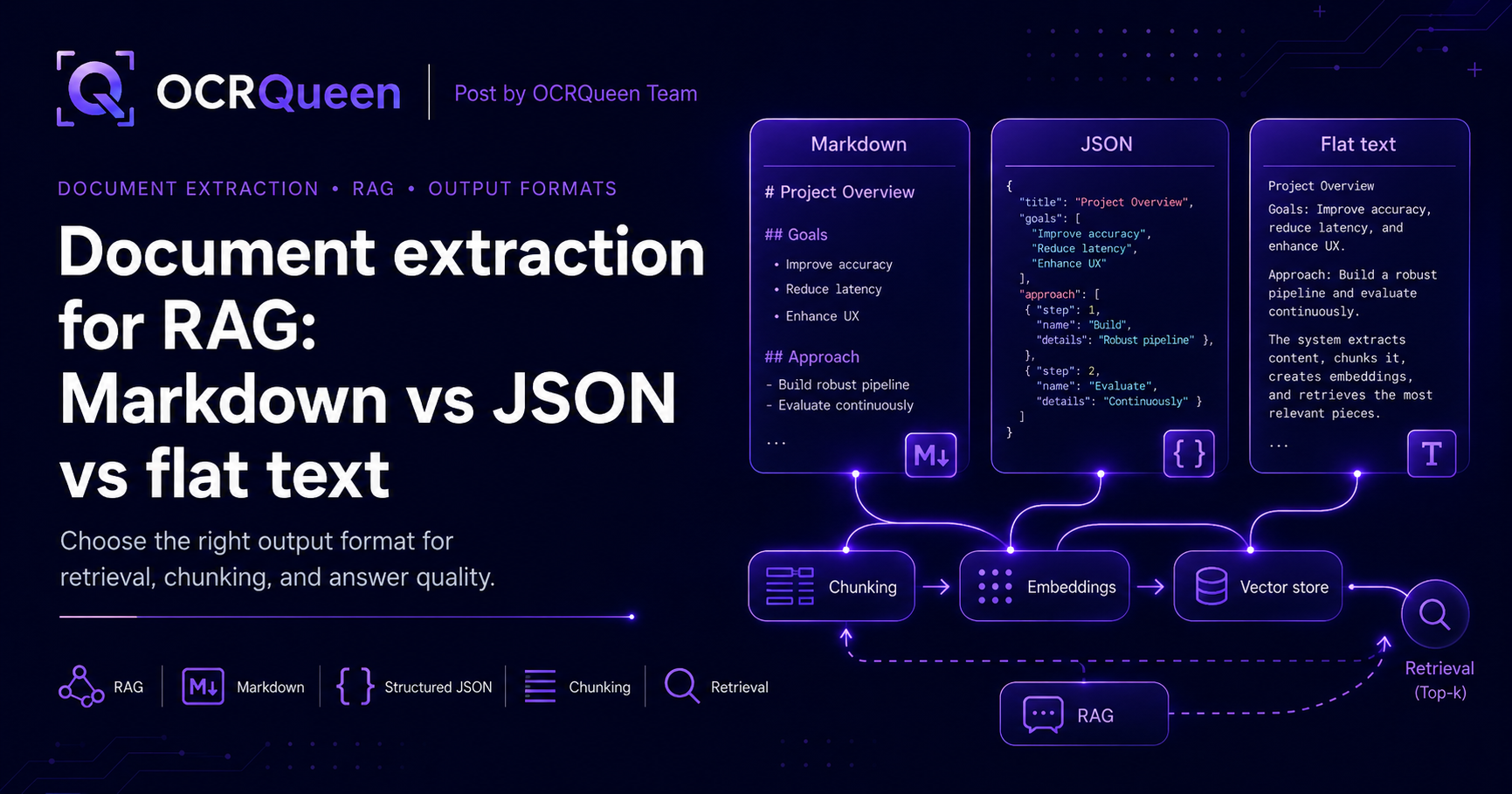
This guide compares three common extraction outputs for RAG: Markdown, structured JSON, and flat text. The short answer: use Markdown for most RAG indexing, structured JSON when your application needs precise fields or metadata, and flat text only for simple search or low-risk ingestion.
The three output formats
When you extract a document for RAG, you usually receive one of three output styles. Each one can work, but they are not equal.
| Format | Best for | Main risk |
|---|---|---|
| Markdown | RAG indexing, chunking by headings, AI-readable content, summaries, document previews | Less precise than JSON if your app needs exact fields, coordinates, or block-level metadata |
| Structured JSON | Applications that need page numbers, block types, tables, slide notes, images, metadata, and deterministic processing | Can be too nested for direct embedding unless converted into clean text chunks |
| Flat text | Basic keyword search, quick prototypes, simple documents with no important layout | Loses headings, tables, hierarchy, and context boundaries |
The best production setup often uses both Markdown and JSON. Markdown becomes the readable text you embed. JSON becomes the structured record your application uses for citations, filtering, metadata, tables, slide numbers, and audit trails.
What RAG needs from document extraction
A good RAG pipeline needs more than text. It needs content that can be chunked cleanly, embedded accurately, retrieved reliably, and shown back to the user with useful citations.
- Readable chunks: content should be split into sections that make sense by heading, page, slide, or semantic block.
- Stable metadata: every chunk should know where it came from, such as file name, page number, slide number, or section title.
- Preserved structure: headings, lists, tables, and notes should survive extraction.
- Table handling: tables should not collapse into confusing line-by-line text.
- Image context: screenshots, diagrams, and embedded images should be described or referenced when they matter.
- Retention controls: sensitive documents should not be stored longer than needed.
That is why output format matters. The extraction result becomes the foundation for chunking, embeddings, retrieval, citations, and answer quality.
Markdown for RAG
Markdown is usually the best default format for RAG indexing. It keeps documents readable while preserving enough structure for chunking and retrieval. Headings remain headings. Lists remain lists. Tables can stay table-like. Slide sections can be separated cleanly.
For example, this is much better for retrieval than one long text blob:
# Quarterly Business Review

## Executive Summary

- Revenue increased across enterprise accounts
- Pipeline coverage improved in Q2
- Support volume remained stable

## Pipeline by Region

| Region | Pipeline | Change |
|---|---:|---:|
| North America | $2.4M | +18% |
| Europe | $1.1M | +9% |
| APAC | $820K | +12% |

Speaker notes:
Call out APAC growth even though the total is smaller.
Markdown helps because embedding models receive content with visible hierarchy. A chunk that starts with ## Pipeline by Region is easier to understand than a chunk that begins in the middle of a table or paragraph.
When Markdown is the best choice
- You are building a RAG knowledge base.
- You want to chunk by heading, slide, or section.
- You need human-readable extracted content.
- You want the same output to work for search, summaries, and AI assistants.
- You are indexing PDFs, PPTX files, documentation, reports, or training material.
Where Markdown is a stretch
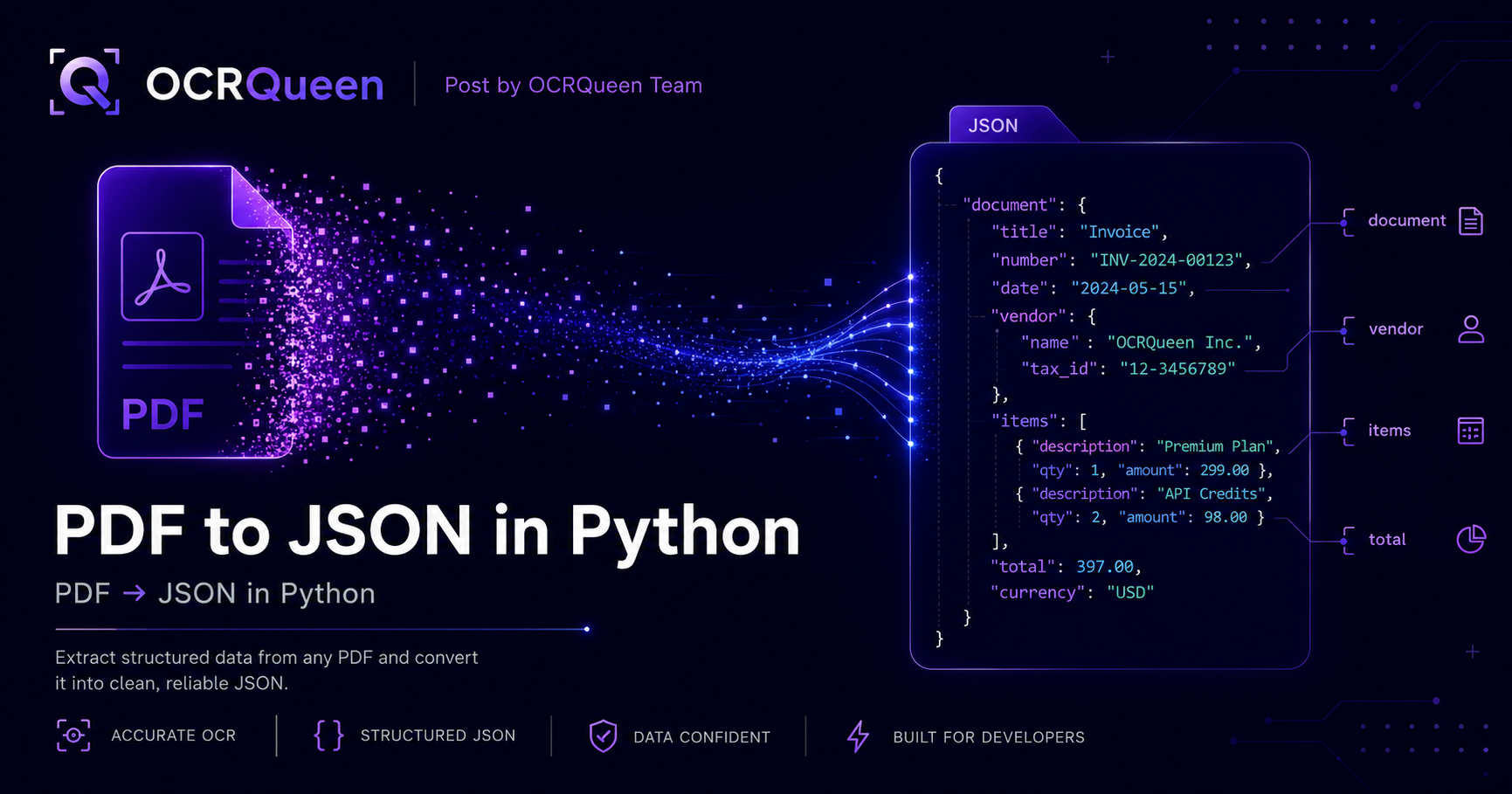
Markdown is less ideal when your application needs exact data fields. For example, an invoice workflow may need invoice_number, vendor, line_items, and total as reliable fields. In that case, structured JSON is better for application logic, even if Markdown is still useful for RAG.
Structured JSON for RAG
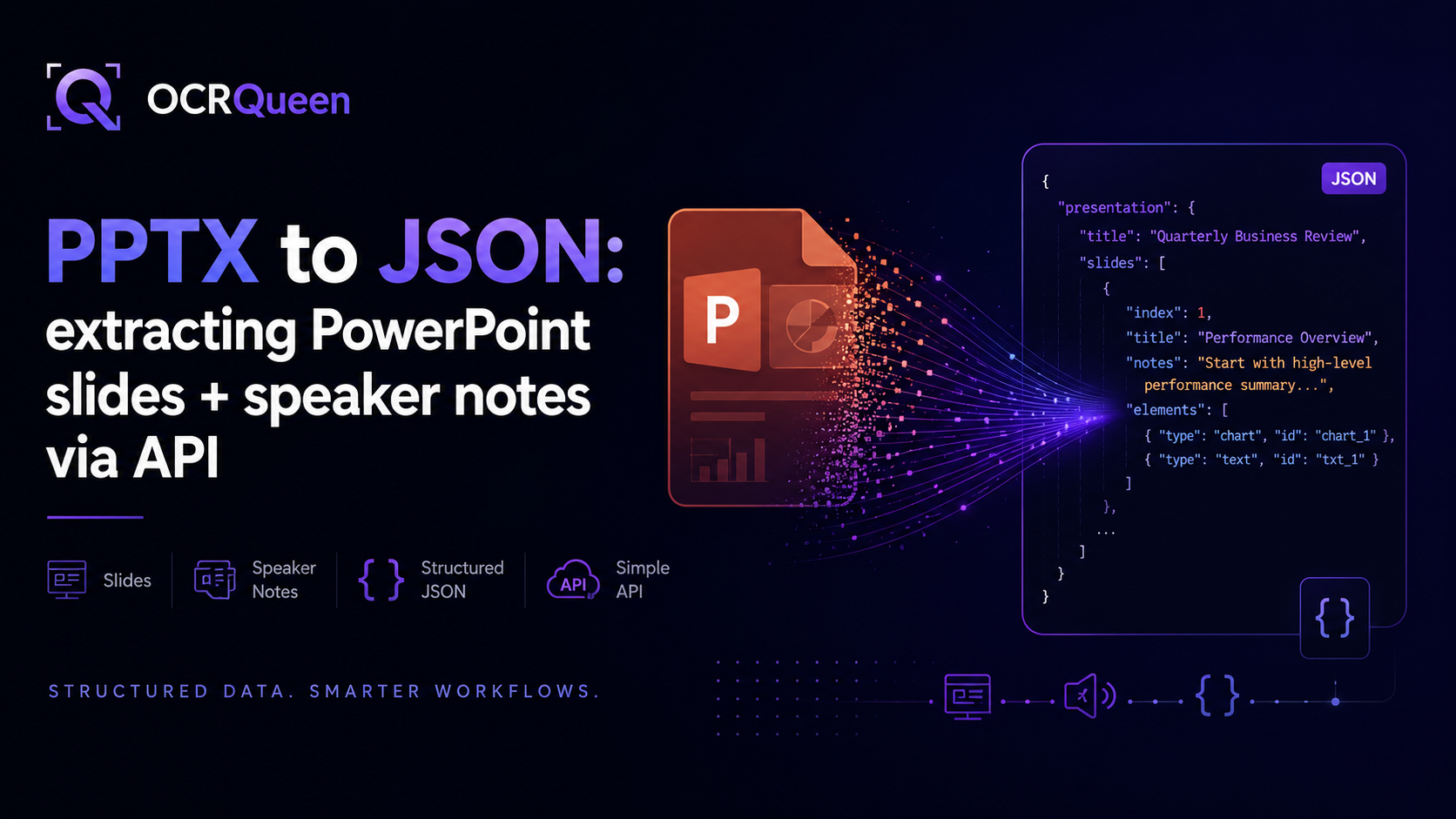
Structured JSON is best when your app needs predictable objects. It can represent pages, slides, blocks, tables, images, speaker notes, diagrams, extraction metadata, and source information.
A structured JSON extraction might look like this:
{
  "source": {
    "file_type": "pptx",
    "slide_count": 12
  },
  "presentation": {
    "title": "Quarterly Business Review",
    "slides": [
      {
        "index": 1,
        "title": "Executive Summary",
        "blocks": [
          {
            "type": "heading",
            "text": "Executive Summary"
          },
          {
            "type": "list",
            "items": [
              "Revenue increased across enterprise accounts",
              "Pipeline coverage improved in Q2",
              "Support volume remained stable"
            ]
          }
        ],
        "speaker_notes": "Start with the headline numbers, then explain the enterprise segment growth."
      }
    ]
  }
}
This is useful because your system can preserve metadata and control how chunks are generated. For example, you can create one chunk per slide, attach the slide number, include speaker notes, and store the original block structure for citations.
When JSON is the best choice
- You need page-level or slide-level citations.
- You need to preserve tables as rows and columns.
- You are building a workflow that depends on fields, block types, or metadata.
- You need to handle speaker notes separately from visible slide content.
- You want to store extracted content in a database before indexing it.
Where JSON is a stretch
Raw JSON is not always the best direct input for embeddings. Deeply nested JSON can include keys, braces, repeated labels, and metadata that add noise. For RAG, the better pattern is to use JSON as the source of truth, then generate clean Markdown or text chunks from it.
Flat text for RAG
Flat text is the simplest output. It is also the easiest to misuse. Flat text removes most structure and returns a document as one or more plain strings.
Quarterly Business Review Executive Summary Revenue increased across enterprise accounts Pipeline coverage improved in Q2 Support volume remained stable Pipeline by Region North America $2.4M +18% Europe $1.1M +9% APAC $820K +12%This may be acceptable for very simple documents, but it becomes weak when documents contain headings, tables, notes, columns, images, or multiple sections. Chunking flat text is harder because the boundaries are unclear.
When flat text is acceptable
- You are building a quick prototype.
- The documents are short and simple.
- You only need keyword search.
- Tables, headings, images, and layout do not matter.
Where flat text is a stretch
Flat text is usually the weakest format for serious RAG. It can lose context, merge unrelated sections, break tables, and make citations harder. If your RAG system needs reliable answers, Markdown or structured JSON is usually a better foundation.
Recommended format by document type
The best format depends on the source document and the job your application needs to do.
| Document type | Best output | Why |
|---|---|---|
| Technical documentation | Markdown | Headings, lists, and code blocks are useful for chunking and retrieval. |
| Reports and whitepapers | Markdown + JSON | Markdown helps retrieval; JSON helps citations, page numbers, and tables. |
| Invoices and receipts | Structured JSON | Applications usually need exact fields, totals, vendors, dates, and line items. |
| PowerPoint decks | JSON + Markdown | JSON preserves slides and speaker notes; Markdown is useful for RAG indexing. |
| Scanned PDFs | Markdown + JSON | OCR output needs structure, page metadata, and clean readable chunks. |
| Screenshots and diagrams | Structured JSON | Image descriptions, embedded text, and diagram relationships may matter. |
| Simple plain documents | Flat text or Markdown | Flat text can work if the document has no meaningful structure. |
How OCRQueen supports RAG extraction
OCRQueen returns structured JSON and Markdown from documents and images. Supported inputs include PDFs, PPTX, PPT, PNG, JPEG, WebP, HEIC, and HEIF. That means the same extraction pipeline can handle reports, slide decks, screenshots, phone photos, scanned documents, and image-heavy files.
For RAG, this gives you two useful outputs from the same job:
- Markdown: clean text for chunking, embedding, search, summaries, and AI assistants.
- Structured JSON: page or slide metadata, block types, tables, images, speaker notes, and extraction details for application logic.
OCRQueen has two extraction profiles. The standard profile extracts text, tables, images, and math. The advanced profile adds diagram graph extraction, image alt text, and embedded-text OCR. Start with standard for text-heavy documents. Use advanced for screenshots, diagrams, image-heavy slides, and documents where text may be embedded inside images.
You can test your own file in the OCRQueen playground or read the API reference at /docs.
Python example: extract Markdown and JSON for RAG
The simplest pattern is to extract the document once, then use Markdown for embeddings and JSON for metadata.
pip install ocrqueenimport os
import json
from ocrqueen import OCRQueen
client = OCRQueen(api_key=os.environ["OCRQUEEN_API_KEY"])
with open("knowledge-base.pdf", "rb") as f:
job = client.extract.create(
file=f,
options={
"extraction_profile": "standard"
}
)
result = client.jobs.wait(job)
document_json = result.result["document"]
markdown = result.result["markdown"]
with open("document.json", "w", encoding="utf-8") as f:
json.dump(document_json, f, indent=2)
with open("document.md", "w", encoding="utf-8") as f:
f.write(markdown)In production, store both outputs. Markdown is your indexing format. JSON is your source-of-truth record for page numbers, tables, slide numbers, speaker notes, and block types.
Node.js example: extract documents for RAG
The same pattern works in Node.js. Submit the file, wait for the result, and save both Markdown and JSON.
npm install ocrqueenimport fs from "node:fs";
import { OCRQueen } from "ocrqueen";
const client = new OCRQueen({
apiKey: process.env.OCRQUEEN_API_KEY
});
const file = fs.createReadStream("knowledge-base.pdf");
const job = await client.extract.create({
file,
options: {
extraction_profile: "standard"
}
});
const result = await client.jobs.wait(job.id);
const documentJson = result.result.document;
const markdown = result.result.markdown;
fs.writeFileSync("document.json", JSON.stringify(documentJson, null, 2));
fs.writeFileSync("document.md", markdown);For small scripts, waiting for the job is fine. For web apps and batch ingestion pipelines, use webhooks so your server does not wait on extraction jobs.
Chunking Markdown for RAG
Markdown is useful because it gives you natural chunk boundaries. You can split by headings first, then apply a maximum token size inside each section.
def chunk_markdown_by_heading(markdown: str):
    chunks = []
    current_title = "Document"
    current_lines = []

    for line in markdown.splitlines():
        if line.startswith("#"):
            if current_lines:
                chunks.append({
                    "title": current_title,
                    "text": "\n".join(current_lines).strip()
                })
                current_lines = []

            current_title = line.lstrip("#").strip()
            current_lines.append(line)
        else:
            current_lines.append(line)

    if current_lines:
        chunks.append({
            "title": current_title,
            "text": "\n".join(current_lines).strip()
        })

    return chunks
This is a starting point, not a complete chunking system. In production, you will usually add token limits, overlap, file metadata, page numbers, and section IDs.
Chunking JSON for RAG
Structured JSON is best when your chunking rules depend on block types. For example, with PowerPoint files, you may want one chunk per slide and include speaker notes in the same chunk.
def chunks_from_presentation_json(document_json):
    slides = document_json["presentation"]["slides"]

    for slide in slides:
        slide_index = slide["index"]
        title = slide.get("title", f"Slide {slide_index}")
        notes = slide.get("speaker_notes", "")

        visible_text = []

        for block in slide.get("blocks", []):
            if block["type"] in ["heading", "paragraph"]:
                visible_text.append(block.get("text", ""))
            elif block["type"] == "list":
                visible_text.extend(block.get("items", []))
            elif block["type"] == "table":
                headers = block.get("headers", [])
                rows = block.get("rows", [])
                visible_text.append("Table: " + ", ".join(headers))
                for row in rows:
                    visible_text.append(" | ".join(row))

        text = f"""# {title}

Slide content:
{chr(10).join(visible_text)}

Speaker notes:
{notes}
"""

        yield {
            "id": f"slide-{slide_index}",
            "text": text,
            "metadata": {
                "slide": slide_index,
                "title": title,
                "source_type": "pptx"
            }
        }
This approach gives your RAG system better citations. Instead of saying an answer came from a whole file, you can say it came from a specific slide or page.
Adding metadata for better retrieval
Metadata helps retrieval and filtering. A chunk should not only contain text. It should also carry useful information about where the text came from.
| Metadata field | Example | Why it helps |
|---|---|---|
source_file |
qbr-deck.pptx |
Lets users trace answers back to the original file. |
source_type |
pptx, pdf, image |
Allows filtering by document type. |
page |
12 |
Useful for PDF citations. |
slide |
5 |
Useful for PowerPoint citations. |
section_title |
Pricing model |
Improves answer display and chunk grouping. |
has_table |
true |
Lets your app route table-heavy chunks differently. |
created_at |
2026-05-18 |
Supports freshness filtering and document lifecycle rules. |
Good metadata makes the retrieval layer easier to debug. When an answer is wrong, you can inspect the source chunk, page, slide, and file type instead of searching through one large text blob.
When to use Markdown, JSON, and flat text together
The best RAG systems do not treat output format as an either-or decision. They often use multiple representations of the same extracted document.
| Stored representation | Use it for | Store it where |
|---|---|---|
| Original source file | Audit, reprocessing, legal hold, user download | Your object storage, if retention policy allows |
| Structured JSON | Metadata, page/slide mapping, tables, images, notes, block types | Database or object storage |
| Markdown | Chunking, embeddings, summaries, search, AI assistants | Database, search index, or object storage |
| Flat text | Basic keyword search, previews, fallback display | Search index or cache |
| Chunk records | Retrieval and citations | Vector database or retrieval index |
This gives you flexibility. If retrieval quality is weak, you can re-chunk from Markdown. If citations are missing, you can use JSON metadata. If a user wants to see the original context, you can link back to the page or slide.
Handling sensitive documents in RAG pipelines
RAG systems often ingest sensitive files: contracts, medical documents, financial statements, product plans, sales decks, support tickets, or customer uploads. Extraction should not store those files longer than needed.
OCRQueen supports per-request retention controls. Use retain_hours for source files and result_retain_hours for extracted content. Both can be set from 0 to 168 hours, with 24 hours as the default. For ephemeral processing, set both to 0 and receive the result by webhook.
with open("confidential-report.pdf", "rb") as f:
    job = client.extract.create(
        file=f,
        options={
            "callback_url": "https://your-app.com/webhooks/ocrqueen",
            "retain_hours": 0,
            "result_retain_hours": 0
        }
    )
You can also purge a job on demand:
client.jobs.purge(job.id)Read the retention contract at /docs/data-retention.
Production pattern: extract once, index twice
A practical production pattern is to extract once, then create multiple indexes from the same source.
- Semantic index: Markdown chunks embedded into a vector database.
- Keyword index: Markdown or flat text indexed in a traditional search engine.
- Metadata store: JSON stored for citations, tables, slide notes, and audit trails.
This gives you better retrieval options. Semantic search handles meaning. Keyword search catches exact matches. JSON metadata supports filtering and citations. Together, they make the system easier to debug and improve.
def index_document_for_rag(file_path, vector_store, keyword_index, metadata_store):
    with open(file_path, "rb") as f:
        job = client.extract.create(file=f)

    result = client.jobs.wait(job)

    document_json = result.result["document"]
    markdown = result.result["markdown"]

    metadata_store.save(document_json)

    chunks = chunk_markdown_by_heading(markdown)

    for chunk in chunks:
        vector_store.add_text(
            text=chunk["text"],
            metadata={
                "title": chunk["title"],
                "source_file": file_path
            }
        )

        keyword_index.add(
            text=chunk["text"],
            metadata={
                "title": chunk["title"],
                "source_file": file_path
            }
        )
Recommended decision framework
Use this framework when deciding what to store and embed.
| Question | Recommended format | Reason |
|---|---|---|
| Do users ask questions over long reports or docs? | Markdown | Headings and sections help chunking and retrieval. |
| Do answers need page or slide citations? | JSON + Markdown | JSON preserves location metadata; Markdown gives clean embedding text. |
| Do documents contain tables? | Structured JSON | Tables should be preserved as rows and columns. |
| Do you process PowerPoint decks? | JSON + Markdown | JSON preserves slides and speaker notes; Markdown helps indexing. |
| Do you only need basic keyword search? | Flat text | Simple text can be enough for basic search over short documents. |
| Do files include screenshots or diagrams? | Advanced JSON extraction | Image descriptions, embedded-text OCR, and diagram extraction may be needed. |
| Do documents contain sensitive data? | JSON + Markdown with retention controls | Use extraction outputs while limiting how long source files and results are retained. |
Frequently asked questions
What is the best document format for RAG?
Markdown is usually the best default format for RAG because it preserves headings, lists, and readable structure. Structured JSON is better when you need metadata, tables, page numbers, slide numbers, or speaker notes. Flat text is best only for simple documents and basic search.
Is Markdown or JSON better for RAG?
Markdown is usually better for direct embedding because it is readable and keeps section structure. JSON is better as a source-of-truth format because it preserves fields, metadata, tables, and block types. The best production pattern is often to store JSON and embed Markdown.
Is flat text good enough for RAG?
Flat text can work for short, simple documents. It is usually not enough for serious RAG over PDFs, PowerPoint files, reports, tables, diagrams, or scanned documents because it loses structure and context boundaries.
How do I extract Markdown from a PDF for RAG?
Use a document extraction API that returns Markdown directly. With OCRQueen, upload the PDF, wait for the extraction job, and read the markdown output. You can then chunk the Markdown by headings and store those chunks in your vector database.
How do I use structured JSON in a RAG pipeline?
Use JSON to preserve document structure, metadata, tables, pages, slides, images, and notes. Then generate clean text or Markdown chunks from the JSON for embeddings. Store the JSON separately so your app can show citations and trace answers back to the source.
How should I chunk Markdown for RAG?
Start by splitting on headings, then apply token limits and overlap inside each section. Keep metadata such as file name, page number, section title, or slide number with every chunk. This makes retrieval easier to debug and citations easier to show.
Should RAG include PowerPoint speaker notes?
Yes, if the notes contain useful context. Speaker notes often include the explanation behind a slide, not just the visible bullets. For PowerPoint RAG, include notes in the slide chunk but label them separately from visible slide content.
How should tables be extracted for RAG?
Tables should be preserved as rows and columns in structured JSON. For embeddings, you can convert the table into Markdown or a readable text summary. Avoid flat text extraction that breaks table relationships.
How do I handle sensitive documents in a RAG pipeline?
Use retention controls, webhooks, and your own storage policy. OCRQueen lets you set retain_hours and result_retain_hours per request, including 0-hour retention for ephemeral processing. You can also purge a job on demand.
Can OCRQueen extract documents for RAG?
Yes. OCRQueen returns both structured JSON and Markdown from PDFs, PPTX, PPT, PNG, JPEG, WebP, HEIC, and HEIF files. That makes it useful for RAG pipelines that need clean chunks, metadata, tables, images, and slide speaker notes.
Sources
- OCRQueen — API documentation, accessed 2026-05-18.
- OCRQueen — Data retention controls, accessed 2026-05-18.
- OCRQueen — Playground, accessed 2026-05-18.
The fastest way to choose the right RAG format is to test your real documents. Try OCRQueen's playground with a PDF, PPTX, screenshot, or scanned file, then compare the Markdown, structured JSON, and flat text patterns above against your retrieval needs.